Weekly Focus
A weekly plan built around available time and a realistic finish line.
3 working templates · editable files$5Explore
A 20-minute reset to close open loops and make next week easier.
No email required. Yours to use today.
Download free template ↓A 20-minute reset to close open loops and make next week easier. Built around a practical sequence, with worked examples and reusable tools you can adapt to your own work.
Anyone who wants a calmer start to the week.
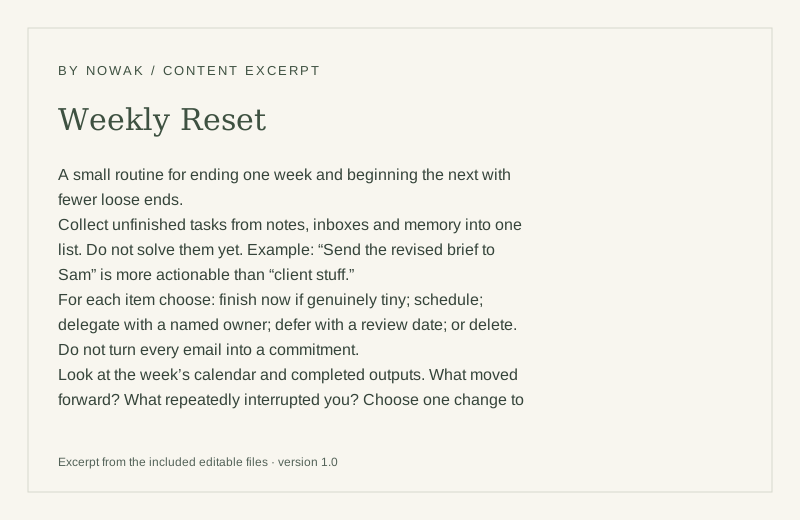
A small routine for ending one week and beginning the next with fewer loose ends.
Collect unfinished tasks from notes, inboxes and memory into one list. Do not solve them yet. Example: “Send the revised brief to Sam” is more actionable than “client stuff.”
For each item choose: finish now if genuinely tiny; schedule; delegate with a named owner; defer with a review date; or delete. Do not turn every email into a commitment.
Look at the week’s calendar and completed outputs. What moved forward? What repeatedly interrupted you? Choose one change to the setup rather than a long list of self-improvements.
Check next week’s fixed commitments. Choo
4 complete products for $15. Save $3 against the standalone total.
A weekly plan built around available time and a realistic finish line.
3 working templates · editable files
Translate an outcome into a project, milestones and the next visible action.
3 working templates · editable files
Markdown files work in any text editor and can be copied into your preferred document app. CSV files import into Excel or Google Sheets. No paid template app is required.
Yes. Edit them for your own work, business, team or finished client deliverables. You may not resell or redistribute the source templates as a template product. Read the license.
The complete files from each listed product, plus a setup roadmap. The product page shows every included file and the standalone total.
Each product is packaged as a ZIP. Free files download immediately. Paid files become available on the delivery page after a confirmed payment. Delivery details.
These are portable Markdown and CSV files. You can copy text or import tables into compatible apps; no native Notion workspace is included.